Wednesday, July 29 2026 - Welcome
  • Login
  • Subscription Plan
  • DMCA
  • Members Support
Super PSX
Super PSX
  • Home
  • PC
  • PS3
    • Games
    • Tutorials
    • Utilities
    • PS3 PKG List
    • PS3 FAQs
    • Emulator
  • PS4
    • Games
    • PS2 Ported PS4 Games
    • PKG List
    • Popular Games List
    • PS4 Theme Guide
    • PS4 Themes
    • Tutorials
    • Console FAQs | Troubleshoot
    • Firmware List
    • Payloads
  • PS5
    • PS5 Games
    • PS5 Tutorials
  • Emulator
    • PS1 (ePSXe)
    • PS2 (PCSX2)
    • PS3 (RPCS3)
    • PS4 (ShadPS4)
    • PSP (PPSSPP)
    • EmulationStation – AIO
    • Xbox 360
  • PS4 PKG Store Overview

Erase Me Evidence Eraser – Clean your PS3 pushlist/history

Published: January 3, 2025Updated: February 13, 2025
A+A-
Reset
463

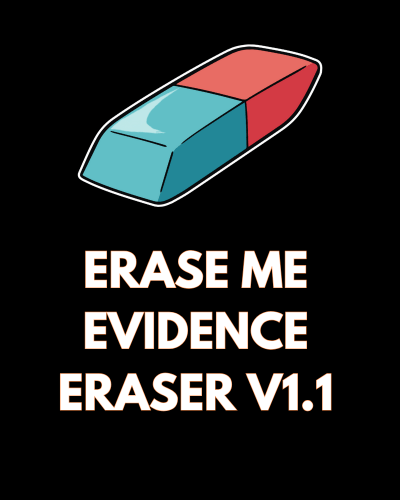
Erase Me Evidence Eraser v1.1 is a handy tool designed to clean your PS3 pushlist/history files for those who don’t use backup managers. It allows you to either delete your history or copy over dummy files that make it look like you’ve played several games. This version is stealthed as Fifa 08 v1.10 and includes fun features like editing files for customization.

Application Details

NameErase Me Evidence Eraser
Version1.1
Last ReleaseJan 23, 2011
Supported PlatformPS3
File Format.PKG (Package File)
CreditChossy
Erase Me Evidence Eraser

What’s New in Version 1.1:

  • Dummy Files: This version allows copying of dummy files (game.dat/patch.dat/boot_history.dat) with 5 genuine games played to avoid suspicion.
  • Fun Customization: After installation, you can FTP into the app (BLES00132) and modify the files with custom text (e.g., adding swear words) before copying them to your PS3.
  • Cross Button: Pressing Cross will delete all files, while Circle will copy dummy files instead.
  • Source Code Included: Full source code is included for developers to inspect or modify.

Important Notice for Installation:

To use Erase Me Evidence Eraser, simply install the package and run the app. Press X to delete files or O to copy dummy files over your pushlist/history.

Installing Erase Me Evidence Eraser v1.1

To install Erase Me Evidence Eraser v1.1, follow these steps:

  1. For CFW (Custom Firmware):
    • Ensure your device is running a compatible version of CFW.
    • Install the update as you would any other package.
  2. For HEN (Homebrew Enabler):
    • The process is similar if you’re using HEN, but make sure you’re running a version that supports the installation of homebrew applications.
    • Proceed with the installation through the usual package manager.

Once installed, enjoy the ability to clean or stealth your PS3 history with ease!

0 FacebookTwitterTelegram
If the download button isn’t visible, please disable your ad blocker. Want to avoid this issue? Become a member.

Related Posts

  • Unofficial Iris Manager –

    January 15, 2025
  • PSChannel – Allows to access and download homebrew applications

    February 7, 2025
  • reActPSN – Backup launcher and OFFLINE PSN license generator

    January 15, 2025
  • OpenPS3FTPsplit – Automatically split files over 4GB

    February 7, 2025
  • Th@nkY0u Manager – Variation of Open Manager

    January 15, 2025
  • About Us
  • Contact Us
  • Privacy Policy
  • FAQs
  • User Data Deletion
  • Terms & Conditions

@2016 - 2026 - SuperPSX. All Right Reserved. Home


Back To Top
Super PSX
  • Home
  • PC
  • PS3
    • Games
    • Tutorials
    • Utilities
    • PS3 PKG List
    • PS3 FAQs
    • Emulator
  • PS4
    • Games
    • PS2 Ported PS4 Games
    • PKG List
    • Popular Games List
    • PS4 Theme Guide
    • PS4 Themes
    • Tutorials
    • Console FAQs | Troubleshoot
    • Firmware List
    • Payloads
  • PS5
    • PS5 Games
    • PS5 Tutorials
  • Emulator
    • PS1 (ePSXe)
    • PS2 (PCSX2)
    • PS3 (RPCS3)
    • PS4 (ShadPS4)
    • PSP (PPSSPP)
    • EmulationStation – AIO
    • Xbox 360
  • PS4 PKG Store Overview